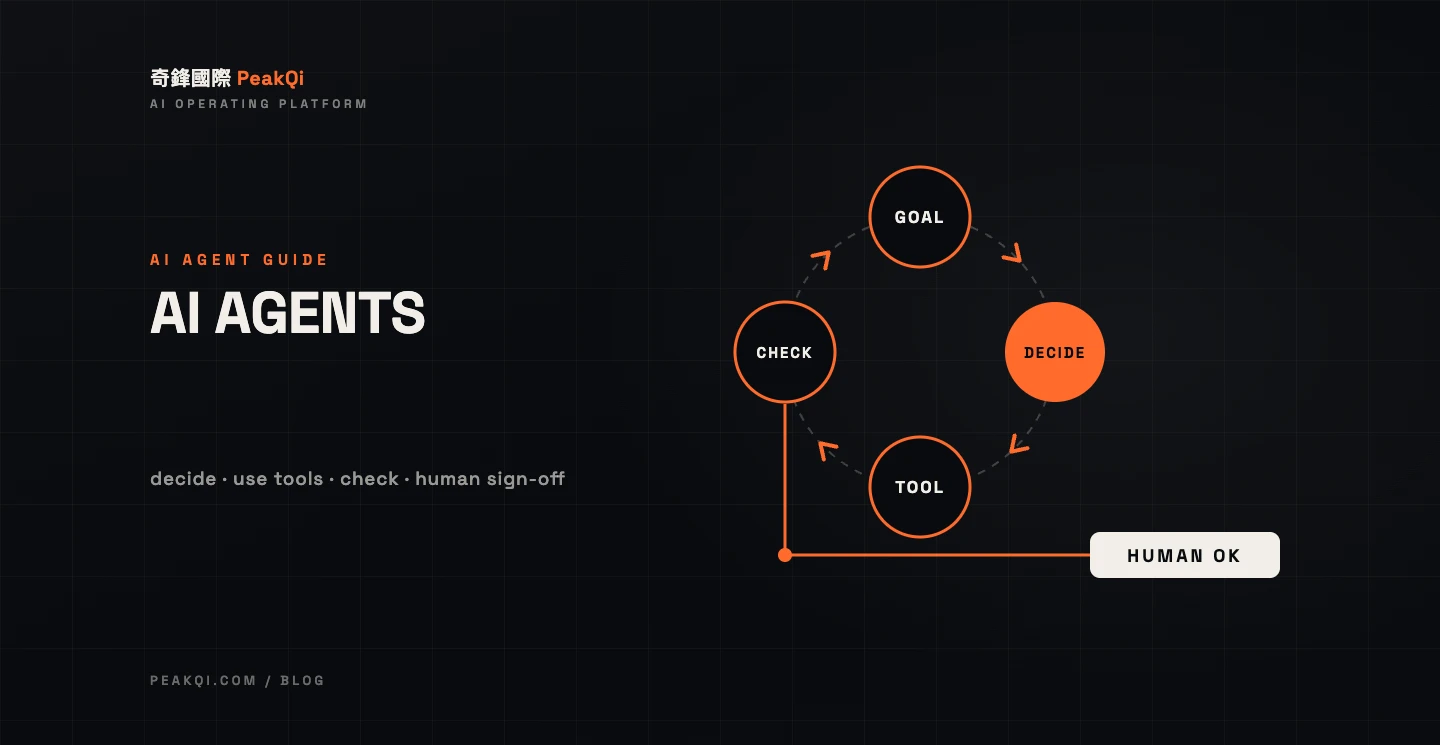
An AI agent is an AI system that, given a goal, decides its own next step, calls tools (looks things up, fills in records, sends messages), checks the result and decides whether to keep going. It differs from a chatbot because it acts, not just answers, and from RPA because its steps are not scripted in advance. For a business, the sensible way to build one is to start with a single process that happens often and has clear rules, limit the tools it can use, and keep a human sign-off before anything goes out. With PeakQi's standard modules, the first phase can go live in as little as 10 working days, and full vertical platforms start at around six weeks. Cost is split into setup, monthly and usage fees, quoted to scope.
What is an AI agent? Three ingredients
Whether a system deserves the name comes down to three things: a goal (not just a single reply), tools (it can read from and write to other systems) and a loop (after each step it checks the result and picks the next one).
Anthropic's "Building effective agents" (December 2024) draws the line clearly. Workflows are systems where models and tools are orchestrated through predefined code paths; agents are systems where the model dynamically directs its own process and tool use. The same piece warns that agentic systems often trade latency and cost for better task performance, and recommends finding the simplest solution possible and adding complexity only when needed.
In plain terms:
- A workflow is a standard operating procedure: step one, step two, step three, the same every time.
- An AI agent is more like a new assistant. You say "sort out what this customer needs, check availability and draft me a reply," and it decides what to look up first and comes back to ask when something is missing.
AI agent vs chatbot vs RPA vs workflow automation
The fastest way to tell them apart is one question: who decides the next step? A chatbot answers and stops. RPA and workflow tools follow a fixed script. An AI agent decides the next step based on the situation and uses tools to carry it out.
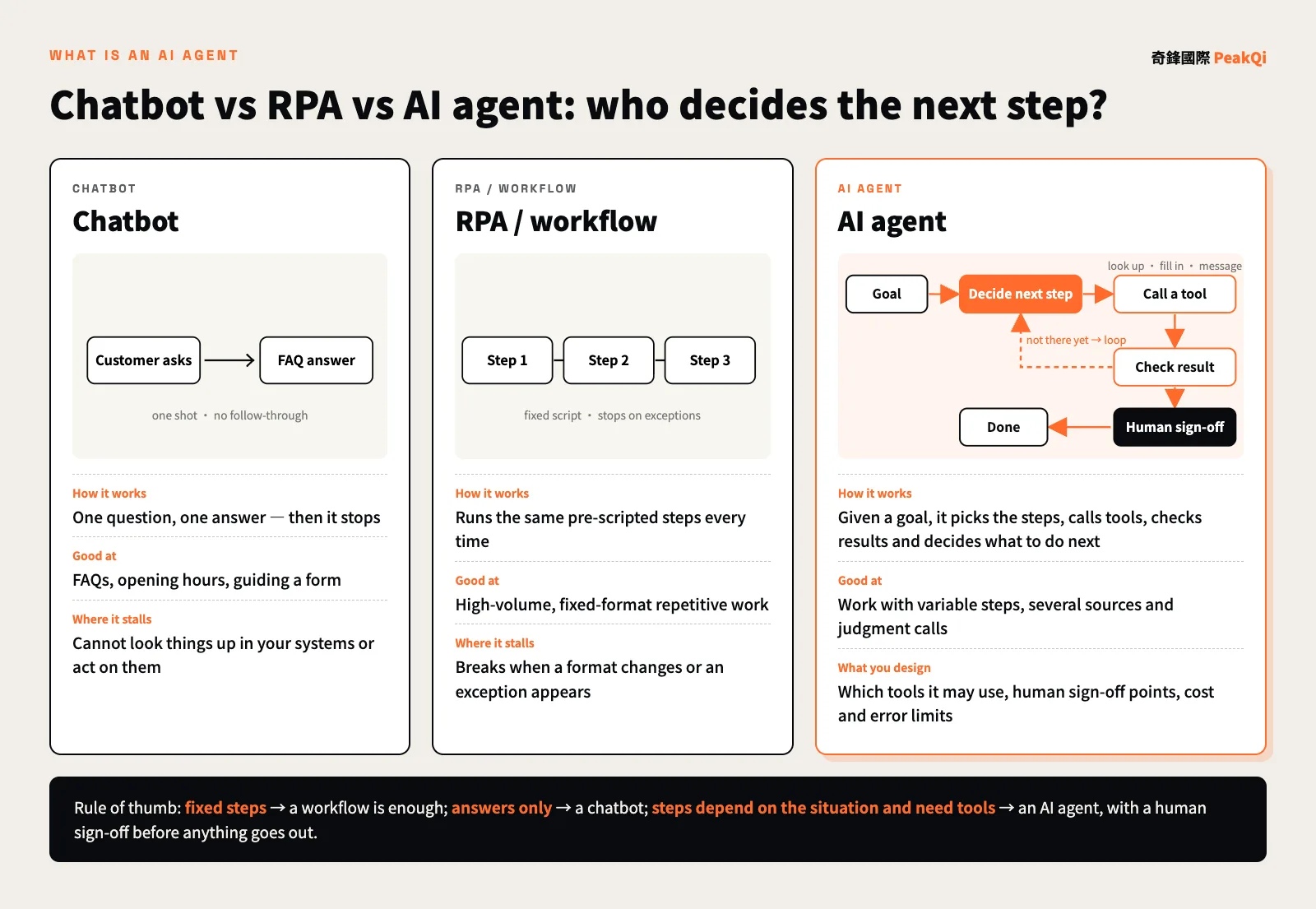
| Chatbot | RPA / workflow | AI agent | |
|---|---|---|---|
| Who decides the next step | There is none | A pre-written script | The model, based on context |
| Can it act in your systems | Usually reads an FAQ only | Yes, fixed actions only | Yes, picks tools within its permissions |
| When something unexpected happens | Hands off to a person | Stops or errors out | Asks a follow-up, tries another route, or hands off |
| Best for | FAQs, business info | High-volume, fixed-format repetitive work | Variable steps, multiple sources, judgment calls |
| Main risk | Off-target answers | Breaks when formats change | Cost and errors compound with each step |
| Where the build effort goes | Knowledge base | Process and field mapping | Tool permissions, sign-off points, evaluation |
None of these replaces the others. Many real systems mix them: fixed parts run as workflows, judgment calls go to an agent, and customer-facing replies can sit behind a chat interface. For choosing between workflow tools like n8n, off-the-shelf SaaS and a custom platform, see n8n vs SaaS vs a custom AI platform.
Which jobs suit an AI agent
Work that suits an agent has three traits: it happens every week, its steps change from case to case, and mistakes can be caught before anything goes out. Only when all three hold is an agent worth it; if only the first does, a workflow will do.
Good fits:
- Inquiry intake: an agent reads a LINE message, works out what the customer wants, asks for missing details, checks availability or listings, and hands a tidy customer card to sales.
- Content and reply drafts: posts, review replies, notices and quote drafts generated from the business's own material, asking first when hard facts like prices or dates are missing.
- Cross-checking and triage: comparing external notices, internal lists and rule tables, handling confident cases automatically and routing the rest to a person.
Hold off when:
- The rule fits in one sentence and never changes: use a workflow, which is cheaper and steadier.
- A mistake can't be undone and there is no room for a human check (moving money directly, for example).
- The process isn't settled yet, so the agent has nothing consistent to judge against.
Among the systems PeakQi has delivered, Zhanggui AI is a textbook agent setup: one AI manager understands the restaurant owner's one-line request and routes it to one of 23 specialist assistants (social posts, review replies, banquet quotes and so on). Every draft lands in a review queue and goes out only after the owner approves it. The multi-agent platform that earned a top-tier grant in the 2026 AI Rookie Selection scales the same idea into four layers: company, department, agent, tool. A company-level coordinator only decides which department owns a request, department leads assign it to members, and each member has its own remit, permitted tools, human checkpoints and metrics.
The AI agent development process and timeline
Build in this order: define the task and its boundaries, connect the tools, and only then tune the model. Many projects do the reverse, picking a model and building a demo first. The demo looks great, then falls apart on real data.
| Step | What happens | Output |
|---|---|---|
| 1. Task scoping | Pick one process; write down the goal, inputs, outputs and what "done" means | Task brief and success metrics |
| 2. Boundary design | List the tools and data the agent may use, and which actions need human sign-off | Tool and permission list, sign-off points |
| 3. Tool integration | Connect LINE Official Account, forms, spreadsheets, an existing CRM and so on | Callable tools and test data |
| 4. Build and calibrate | Set instructions and knowledge, run real scenarios, fix wrong calls | A first version people can try |
| 5. Limited launch | Real users work with it; every decision and human correction is logged | Live version and logs |
| 6. Ongoing tuning | Adjust tools, rules and thresholds from the logs, then decide whether to expand | Next-phase recommendation |
On timing, PeakQi's standard-module first phase runs: Day 0 sign and hand over data; Days 1–4 knowledge base and module setup; Days 5–7 internal testing and simulated chats; Days 7–10 calibration; Day 10 go live. Custom integrations, data migration and cross-team permissions are scoped separately, and full vertical platforms or large custom builds start at around six weeks. The first phase runs three months, after which you adjust or stop month by month. Our full approach is on the method page, and the starting steps are in how to start AI adoption.
How to estimate AI agent development cost
An agent's cost structure is the same as other AI automation, in three parts: a one-off setup fee (task design, tool integration, data preparation, testing), a monthly platform fee (system use and upkeep, including standard text AI usage) and AI usage fees for high-cost image and video generation, paid as used. All three PeakQi plans are quoted to scope; see pricing and AI automation cost and timeline.
Compared with a plain chatbot, four factors push an agent's cost up. Confirm all four before you accept a quote:
- Number of tools and how hard they are to connect: each extra system adds integration, permission and testing work, and more still if it has no API.
- Steps per task: every extra step or lookup is another model call. Anthropic is explicit that agents trade cost and latency for performance, so set limits on steps and spend.
- Human sign-off design: which actions need approval, how the review queue looks and what happens after a rejection is the most underestimated part of agent projects.
- Evaluation and testing: you need a set of real scenarios as a test suite, rerun after every change, to make sure fixing one thing didn't break another.
Why AI agent projects fail
Failed agent projects rarely fail because the model isn't smart enough. They fail because the scope is too big, the value is vague and the risks aren't controlled. In June 2025, Gartner predicted that over 40% of agentic AI projects will be canceled by the end of 2027 because of escalating costs, unclear business value or inadequate risk controls. The same release estimated that only about 130 of the thousands of vendors claiming agentic AI are genuine; the rest are "agent washing," rebranding chatbots and AI assistants without real agentic capability (Gartner press release, 2025-06-25). Gartner is not pessimistic about agents themselves: it also expects at least 15% of day-to-day work decisions to be made autonomously through agentic AI by 2028, up from 0% in 2024, and 33% of enterprise software applications to include agentic AI by 2028, up from less than 1% in 2024. The technology is coming either way; what decides the outcome is whether each project has a clear task and clear limits.
In practice, these five come up most often:
- Going fully automatic on day one: with no sign-off step, the first mistake costs the team's trust and the project stalls.
- A fuzzy task: "let AI handle support" is not a task; "turn LINE inquiries into customer cards and ask for a phone number when it's missing" is.
- Too many permissions: when the agent can touch more data than the task needs, every mistake spreads further.
- No logs to look back on: if you can't see why the agent made a call, you can't fix it.
- Judging by the demo instead of real data: demos use clean examples; real inputs have typos, screenshots and missing fields.
How to evaluate an AI agent development partner
When you evaluate an agent developer, the model they use matters less than whether they can spell out boundaries, sign-off points and exit terms. Ask at least these six questions before signing:
- In the first meeting, do they ask about your process, or show you features?
- Is there a written list of the tools and data this agent can use?
- Which actions pause for human sign-off, and who gets the cases it can't decide?
- Is every decision logged so it can be reviewed and fixed?
- Is pricing split into setup, monthly and usage, with a cap on model calls?
- Can you start with one process, and how do you get your data back if you stop?
Vendors with concrete answers to all six have usually shipped real systems. If all you hear is "our AI is very smart," check whether you're looking at agent washing. The fuller checklist is in how to choose an AI automation partner, and the systems we have delivered are in our case studies. If you want to know which of your processes would suit an AI agent, let's set up a time to talk.
Frequently asked questions
Q: How is an AI agent different from a chat tool like ChatGPT? With a chat tool, you ask, it answers, and you decide what happens next. An AI agent is connected to your company's tools and data. Given a goal, it looks things up, fills in records and drafts replies, checks each step, decides the next one, and hands the result to a person to confirm.
Q: Does a small business need its own engineers to use AI agents? No, but you do need one person who knows the process well: someone who can explain how work normally gets done, what counts as an exception and which actions must always be confirmed by a human. Build, integration and upkeep can sit with a development partner.
Q: Will an AI agent go off and do things on its own? The risk depends on how permissions and sign-off points are designed. Give it only the tools the task needs, send every outgoing item through a review queue, hand off to a person when it can't decide, and log every decision. That keeps the risk reviewable and fixable.
Q: How long does it take to build an AI agent? With PeakQi's standard modules, the first phase can go live in as little as 10 working days. Custom integrations, data migration or cross-team permissions are scoped separately, and full vertical platforms start at around six weeks. Expect a few weeks of calibration on real logs after launch.
Q: How is AI agent development priced? In three parts: a one-off setup fee, a monthly platform fee that includes standard text AI usage, and usage fees for high-cost image and video generation. The quote depends on scope, the number of tool integrations and the sign-off design. Ask any vendor to estimate your usage range from your actual process before you sign.
By the PeakQi team. The definition of an AI agent draws on Anthropic's "Building effective agents" (December 2024); market predictions come from a Gartner press release (June 2025). Cost structure and timelines describe PeakQi's own pricing and method, and other vendors may work differently; case details are as published on our case studies pages. Published 2026-11-14.