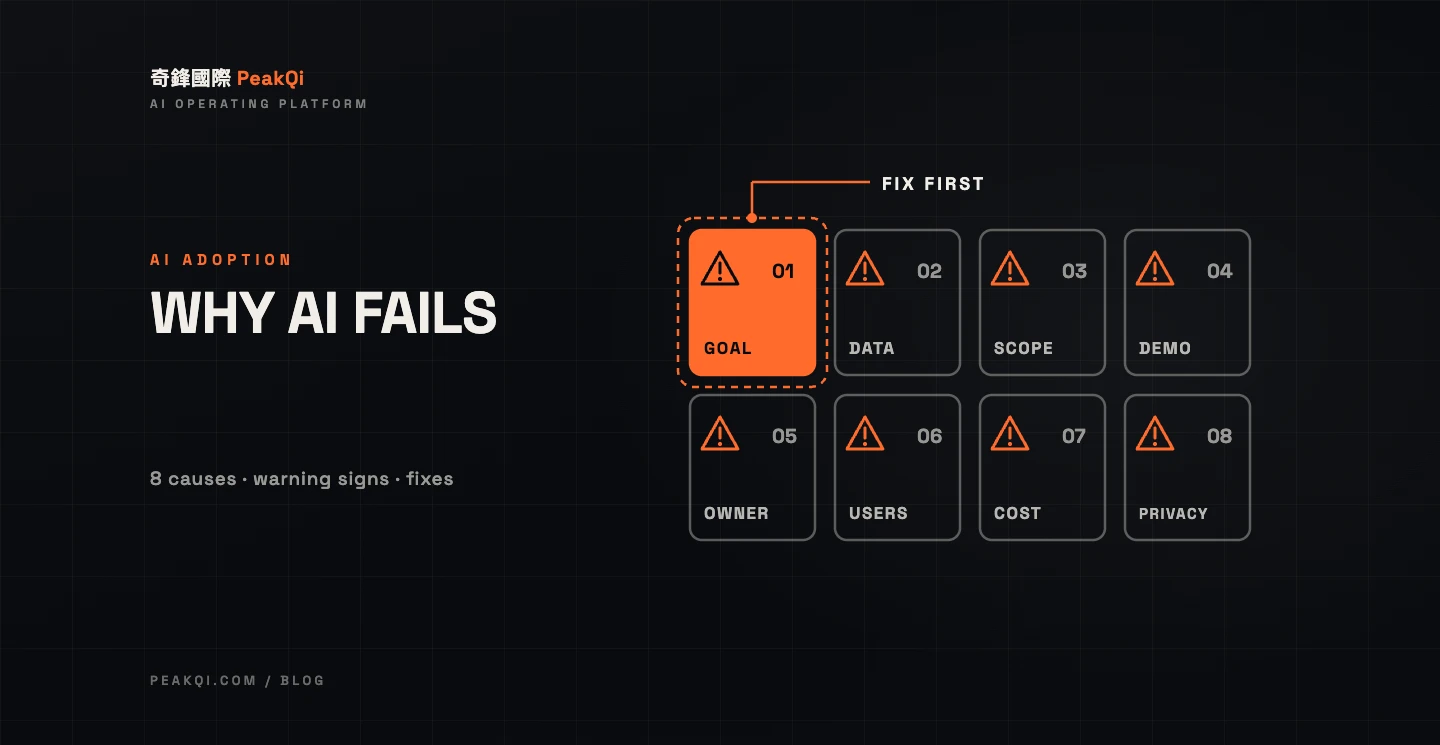
When AI adoption fails, it's rarely because the model isn't smart enough. It's because of how the project was set up. The eight most common causes are: no clear process goal, messy data, starting too big, buying on the strength of a demo, nobody owning upkeep, staff who don't use it, runaway costs, and security and personal-data questions left unanswered. Each one shows warning signs early, and each has a matching fix. If a project is already in trouble, switch customer-facing automation back to human sign-off first, then shrink the scope to one process and reset the metric. That is almost always cheaper than tearing everything down.
How often does AI adoption fail? What the research says
More AI projects stall than most business owners expect. Three widely cited studies:
- RAND (2024): by some estimates, more than 80% of AI projects fail, twice the rate of IT projects that don't involve AI. After interviewing data scientists and engineers, RAND identified five root causes. The first is business stakeholders misunderstanding or miscommunicating the problem AI is supposed to solve; the second is a lack of the data needed (RAND: The Root Causes of Failure for Artificial Intelligence Projects).
- Gartner (July 2024): predicted that at least 30% of generative AI projects would be abandoned after proof of concept by the end of 2025, due to poor data quality, inadequate risk controls, escalating costs or unclear business value (Gartner press release, 2024-07-29).
- MIT NANDA (2025): The GenAI Divide: State of AI in Business 2025, based on 150 leader interviews, a survey of 350 employees and an analysis of 300 public AI deployments, found that about 95% of enterprise generative AI pilots delivered little to no measurable P&L impact. Tools bought from specialized vendors or built with partners succeeded about 67% of the time; internal builds succeeded only a third as often (Fortune, 2025-08-18).
These studies mostly cover large enterprises, so the numbers don't transfer directly to small businesses. But the causes line up: the problem wasn't defined, the data wasn't ready, and nobody could explain cost against value. With tighter budgets and fewer people, small businesses pay more for the same mistakes.
Eight reasons AI adoption fails, with warning signs and fixes
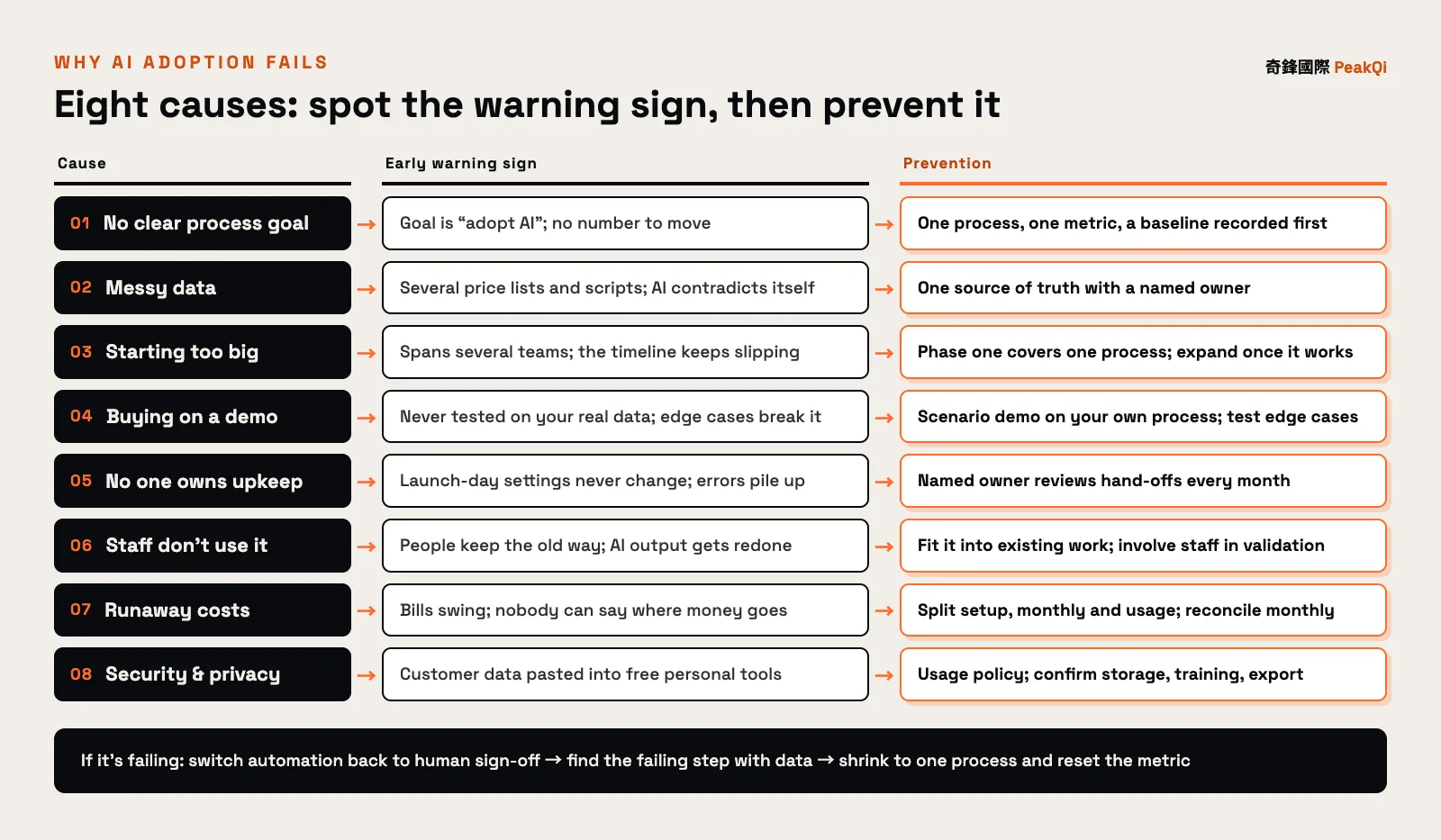
Every cause shows up as a symptom before it becomes a failure. The chart below puts cause, warning sign and fix on one row so you can check your own situation against it.
1. No clear process goal
Warning sign: the goal reads "adopt AI" or "improve efficiency," and nobody can name the number that should change. Fix: pick one process (say, the first reply to a LINE inquiry), set one measurable metric, and record today's baseline so you have something to compare against. This is the root cause RAND ranks first.
2. Messy data
Warning sign: there are several versions of the price list, the scripts and the product descriptions; the AI contradicts itself and gets answers right by luck. Fix: before you start, consolidate a single source of truth and name who keeps it current. AI can only answer from what you give it. If your data disagrees with itself, so will the AI.
3. Starting too big
Warning sign: intake, CRM, quoting and marketing all launch together, the scope spans three or more teams, the timeline keeps slipping, and in the end nobody can say which part worked. Fix: limit phase one to a single process, validate it against the metric within a fixed period, and expand only once it works. The smaller the scope, the sooner you know whether you're on the right track.
4. Buying on the strength of a demo
Warning sign: the demo ran on clean sample data and was never tested on your real conversations and forms. After launch, typos, screenshots and missing fields throw it off. Fix: ask for a scenario demo on your own process and real data, and list the edge cases (a customer who only sends a photo, a question about something not on the price list) to test one by one.
5. Nobody owns upkeep
Warning sign: launch-day settings run unchanged for months, errors go unreviewed, prices change and the AI never hears about it. Fix: name one internal owner who reviews, every month, how often and why the AI hands off to a person; put the partner's upkeep scope and tuning cadence in the contract.
6. Staff don't use it
Warning sign: the system is live but people keep working the old way, or redo whatever the AI produces from scratch. MIT NANDA's report also points to tools that don't retain feedback or improve with use as a major reason pilots stall. Fix: put AI inside the workflow people already use instead of adding another app. Bring frontline staff in during validation, and let AI prepare the draft while a person confirms and sends.
7. Runaway costs
Warning sign: the monthly bill swings widely, nobody can explain where the money goes, and usage has no cap and no one watching it. Gartner lists escalating costs among the reasons projects get abandoned. Fix: before signing, split fees into a one-time setup fee, a monthly fee and usage fees. Estimate high-cost usage such as images and video against your actual process first, and reconcile the bill every month.
8. Security and personal data left unanswered
Warning sign: staff paste customer names, phone numbers and chat logs into free AI tools on personal accounts. Ask the vendor where data is stored and whether it trains their models, and you get no clear answer. Fix: write an internal AI usage policy that says which data must never go into outside tools; confirm where data lives, who can access it, and how you export it when the contract ends. Taiwan's Personal Data Protection Act requires businesses holding personal data files to take security measures against theft, alteration, damage, loss or leakage, and adopting AI does not make that duty go away. An OECD survey of more than 5,000 SMEs in seven countries, conducted in late 2024 and published in 2025, found that a third or fewer of SMEs already using generative AI were training staff, setting internal guidelines, or researching copyright, legal and regulatory issues (OECD: Generative AI and the SME Workforce).
What to check before you start: a pre-launch checklist
Run through these ten questions before you sign or kick off. Any question you can't answer marks the spot most likely to break, so fix it first.
| # | Question | What a good answer looks like | Risk if you can't answer |
|---|---|---|---|
| 1 | Which process does phase one improve? | "First reply to LINE inquiries" | Scope creeps without limit |
| 2 | Which metric defines success, and what is it today? | Reply time, missed inquiries, with a baseline | No way to tell if it worked |
| 3 | Is there one version of your knowledge and data? Who updates it? | One price list and FAQ, with a named owner | AI contradicts itself |
| 4 | Has it been tested on your real data? | A scenario demo on real conversations | Accuracy problems surface after launch |
| 5 | Who takes over when the AI can't decide? | Clear hand-off rules and an owner | It guesses, or nobody picks up |
| 6 | Who is the internal point person, and for how many hours a week? | One named person, fixed time slots | Edge cases go unanswered |
| 7 | When do frontline staff get involved? | From the validation stage | Nobody uses it after launch |
| 8 | How are fees split, and is usage estimated? | Setup, monthly and usage separated, with a range | Bills exceed expectations |
| 9 | Where is data stored, is it used for training, can you export it? | Written answers to all three | Personal-data and data-ownership risk |
| 10 | How do you stop if it isn't working? | Adjustment and exit terms in the contract | Locked into a system that doesn't deliver |
If three or more questions draw a blank, sort out the process and data before talking about adoption. For the questions to ask vendors, see how to choose an AI automation partner; if you're still deciding where to begin, read how to start AI adoption.
Already in trouble? Contain it, then restart smaller
When an AI project goes wrong, the first move is neither adding features nor replacing the whole system. Limit the damage, then find the part that actually failed. Five steps, in order:
- Stop customer-facing automation first: switch auto-replies and auto-sends to "AI drafts, a person confirms and sends," and route anything the AI can't judge to a human. Stabilize the customer experience before anything else.
- Use data to see what works and what doesn't: compare each step against the pre-launch baseline on reply time, missed inquiries and how often people edit the AI's output. No baseline? Start logging for two to four weeks now.
- Match it to the eight causes: wrong process, incomplete data, staff left out, or a cost structure problem? Usually one or two causes explain most of it.
- Shrink to one process and reset the metric: keep what works and pause the rest. The knowledge, price lists and field design you already cleaned up carry straight over to the restart.
- Check the contract, then continue, shrink or stop: confirm you can export your data and adjust scope or stop month to month before deciding.
At PeakQi, for example, we run a scenario demo on your own process during assessment, so the process, data and usage are confirmed before you commit. Phase one runs three months; after that you adjust or stop month by month based on real usage, and fees are split into setup, monthly and usage. The details are on our method and pricing pages. Agreeing up front on where you can stop is one of the most effective ways to cap what a failure can cost.
When to stop instead of pushing on
Not every failing project is worth saving. In these situations, stopping usually beats spending more:
- The process itself isn't settled: if it's done differently every time, AI has no rules to follow. Standardize the process first.
- Two or more rounds of tuning haven't moved the metric: you've narrowed the scope and filled the data gaps and the numbers still haven't improved. That process may simply not suit AI.
- Volume is too low: with a handful of inquiries or cases a month, people can handle it and the setup cost won't pay back.
- A professional must own the final call and you can't build a human sign-off step: AI is good at gathering information and drafting; responsibility stays with people.
Stopping doesn't erase the work. Cleaned-up data and a clearly defined process remain company assets. To spread the cost of a restart with public funding, see Taiwan's AI adoption subsidies; if you want to turn one process into an AI agent that plans its own steps, the enterprise AI agent development guide covers how to set its boundaries.
Frequently asked questions
Q: What is the most common reason AI adoption fails? Not defining which process to fix and which metric proves success. RAND's 2024 report ranks misunderstanding or miscommunicating the problem as the first root cause of AI project failure, ahead of data and technology issues.
Q: What should a small business watch for when adopting AI? Pick one frequent process with clear rules, consolidate a single version of your data, name an internal point person, split fees into setup, monthly and usage, and confirm where data is stored and how you can exit the contract. The ten-question checklist above covers each point.
Q: Can you restart after a failed AI project? Yes, and you rarely start from zero. Switch automation back to human sign-off, use data to separate what works from what doesn't, and narrow to one process with a reset metric. The knowledge, price lists and field design you already built carry over.
Q: How do you keep AI costs from spiraling? Ask vendors to quote setup, monthly and usage fees separately, estimate high-cost image and video usage against your process up front, and reconcile the bill every month. With adjustment and exit terms in the contract, the cost of failure has a ceiling.
Q: What's the risk of staff pasting customer data into free AI tools? The data may end up somewhere you can't control, and it can breach the security obligations under Taiwan's Personal Data Protection Act. Write an internal AI usage policy listing which data stays out of outside tools, and use systems whose storage location and data use are spelled out.
Want to know which of these causes is holding your project back, or which process phase one should start with? Let's set up a time to talk — we'll go through it with your real workflow.
Written by the PeakQi team. The process, phase-one duration and fee structure described here follow PeakQi's own method and pricing; other vendors may work differently. Figures from RAND, Gartner, MIT NANDA and the OECD are as reported in the original publications; MIT NANDA figures are cited via Fortune's coverage. Published 2026-11-16.