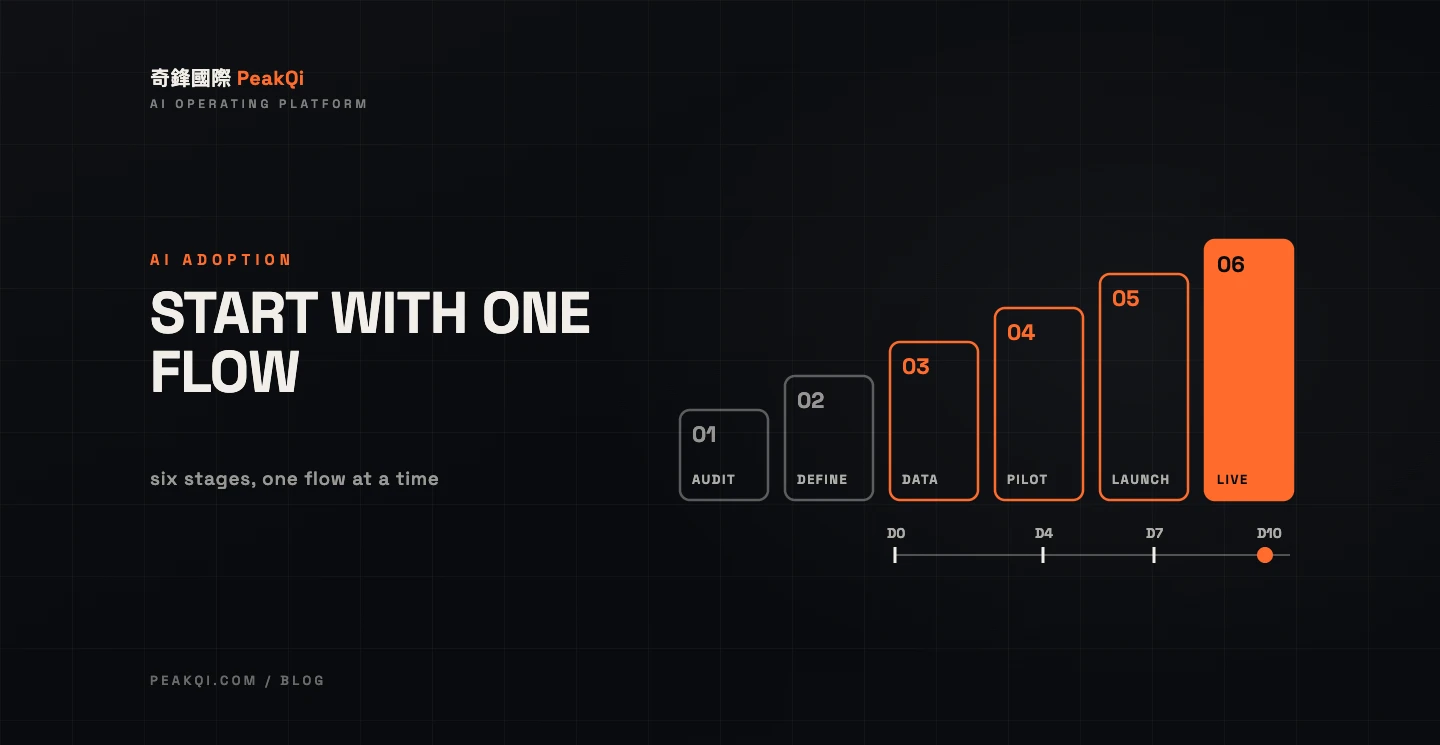
AI adoption starts with one process, not one tool. Audit the everyday work — inquiries, quotes, follow-ups — and find the step that leaks the most customers or eats the most staff time. Define what phase one should improve and where a person must sign off. Then prepare the data, build a first version real users can try, validate it, launch, and only then expand. With PeakQi's standard modules, phase one can go live in as little as 10 working days; phase one runs three months, after which you adjust or stop month by month. Custom integrations, data migration or cross-team permissions are scoped separately, and full vertical platforms start at around six weeks.
Where to start: the most painful process, not the shiniest tool
The first step is naming the problem, not picking software. Where do inquiries come in, who answers them, where is the data recorded, and at which step do deals stall? If you can answer those four questions, you know where AI belongs.
For small and mid-sized service businesses, the usual starting points are:
- Capture: LINE and website inquiries nobody picks up in time, or that go unanswered after hours.
- Follow-up: inquiries that are caught but have no owner and no next step, so they go cold.
- Repetitive output: quotes, notices and reply drafts written from scratch every time.
Pick a starting point on two tests: it happens often (every week), and its rules can be stated (a senior colleague can explain how each case is handled). The process that passes both is your phase-one candidate.
In an OECD survey of more than 5,000 SMEs across seven countries in 2024, 57% of firms not using generative AI said it didn't suit their work, 52% worried about what happens to the data they enter, and 50% cited a lack of employee skills (OECD: Generative AI and the SME Workforce). "Doesn't suit our work" often means nobody pinned AI to a specific process first.
What to prepare, and who needs to be involved
The biggest variable in AI adoption is rarely the technology; it's whether the business side is ready. Before kick-off, have these five things in place:
- One named process: write down how it runs today, from the customer's first message to close, and which people and tools it passes through.
- One measurable goal: reply time, missed inquiries, or whether every deal has an owner and a next step. Record today's baseline so you have something to compare against.
- Existing knowledge and data: FAQs, price lists and plan descriptions, reply scripts, past conversations, customer lists — where they live and whether the formats agree.
- Admin access to current tools: who can grant access to the LINE official account, forms, spreadsheets or existing CRM.
- An internal point person: someone who knows the process, can answer "how do we normally handle this?", and sets aside time each week to confirm.
Four roles usually take part:
- Owner or decision-maker: sets the goal, decides phase-one scope and the human sign-off points, and signs off at acceptance.
- Process lead: supplies the knowledge and exceptions, and checks that AI replies and fields are right.
- Tool admin: grants access and confirms what can be exported or integrated.
- Front-line users: try the first version and report where it sticks.
Handing the whole thing to a vendor doesn't produce a reliable system. The vendor owns the technology; your team owns "how we work and what counts as an exception."
AI adoption steps: six stages, deliverables and timeline
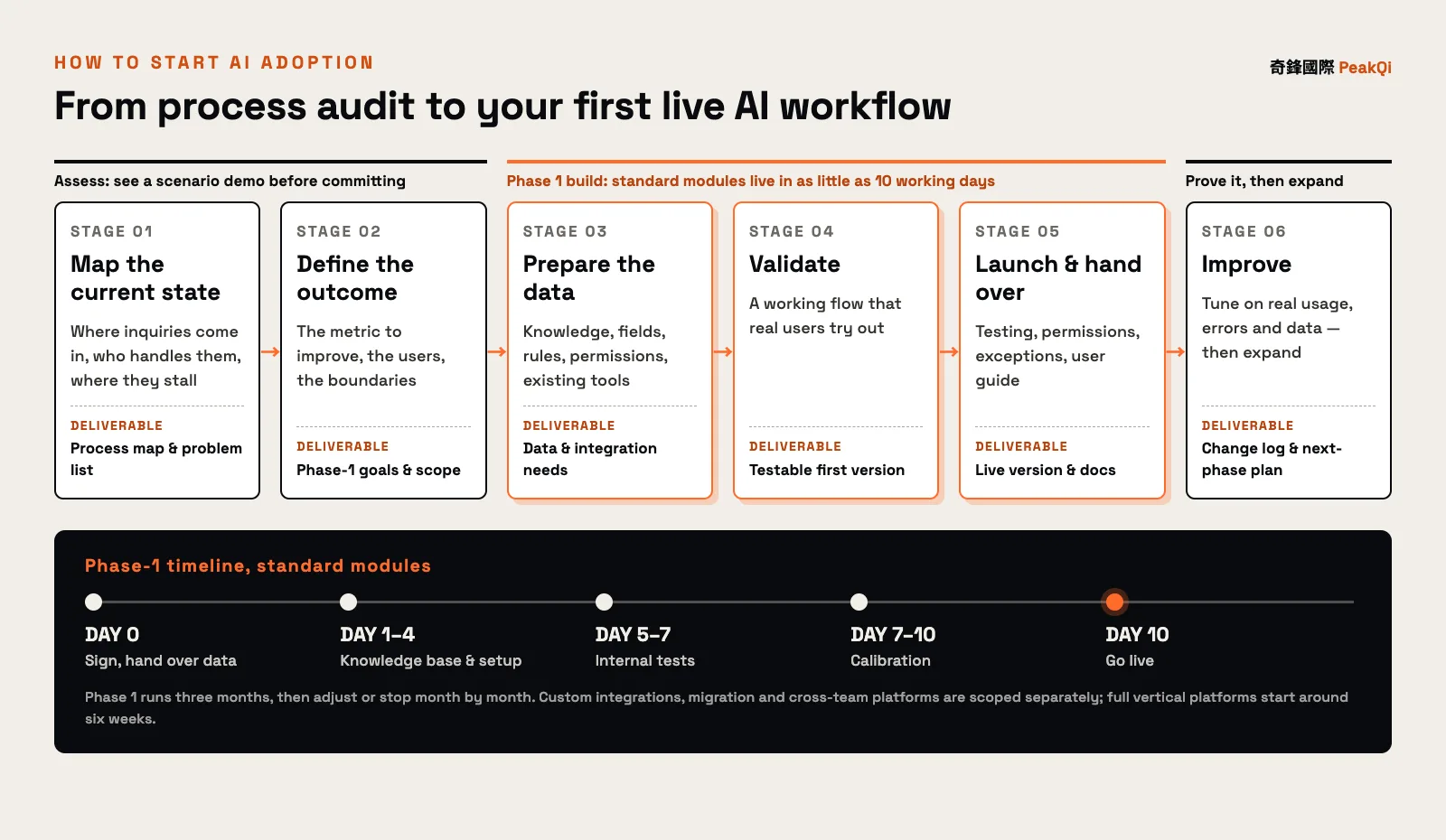
PeakQi's delivery method has six stages, each with a concrete deliverable. The first two happen during assessment: we run a scenario demo on your own workflow to confirm the flow, data and usage before you decide whether to proceed.
| Stage | What happens | Deliverable | Timing (standard modules) | Who's involved |
|---|---|---|---|---|
| 1. Map the current state | Where inquiries come in, how the team splits work, where things stall | Process map and problem list | Assessment | Owner, process lead |
| 2. Define the outcome | The metric phase one should move, the users, the boundaries | Phase-one goals and scope | Assessment | Owner |
| 3. Prepare the data | Knowledge, fields, rules, permissions, existing tools | Data and integration needs | Day 0: sign, hand over data | Process lead, tool admin |
| 4. Validate | A working flow that real users help confirm | Testable first version | Days 1–4 build, Days 5–7 test | Front-line users |
| 5. Launch and hand over | Testing, permissions, exception handling, user guide | Live version and documentation | Days 7–10 calibrate, Day 10 live | Everyone |
| 6. Improve | Tune on real usage, errors and flow data | Change log and next-phase plan | Within the three-month phase one, then monthly | Owner, process lead |
Three things stretch the timeline: existing systems with no API or poor documentation, large or messy data that needs migrating, and permission design across several teams and roles. Those are scoped against your systems; full vertical platforms or large custom builds start at around six weeks. For how the cost splits and what makes it more expensive, see what AI automation costs and how long it takes.
Launch isn't the finish line. The first few weeks always surface questions and exceptions nobody predicted; tuning settings, scripts and flow on real feedback should be part of the engagement.
How to tell whether phase one worked
Judge it by the metric you set in stage two, not by how many messages the AI sent. Three kinds of measures help:
- Flow: is reply time shorter, are fewer inquiries missed, does every deal have an owner and a next step?
- Effort: how much time spent re-answering questions or copying data between tools has been saved, and where did that time go?
- Quality: how often and why the AI hands off to a person, how many replies people edit, and whether the kinds of edits are shrinking.
When all three improve and front-line staff keep using it, it's worth expanding to the next process. If the numbers don't move, check whether you picked the wrong process, the data is incomplete, or the human sign-off line is in the wrong place — before adding more features.
DIY, a consultant, or off-the-shelf tools?
All three are reasonable. The difference is what resources you have and how complete the problem is.
| DIY (in-house staff wiring AI tools) | Adoption consultant or build partner | Off-the-shelf SaaS | |
|---|---|---|---|
| Best when | Someone in-house knows both the process and the tech; small scope | Several tools and steps need to become one flow, or customization is needed | One clear task to solve |
| Speed to start | Depends on staff time; often crowded out by daily work | Depends on scope; standard modules launch quickly | Fastest — sign up and go |
| Internal effort | Highest: you design and maintain it | Medium: a point person confirms process and data | Low, but you learn the tool yourself |
| Who fixes it | You | The partner, per contract | The vendor fixes only its own tool |
| Data | You hold it | Confirm storage and export before signing | Per vendor terms; moved by hand between tools |
| Cost model | Staff time plus tool subscriptions | Setup + monthly + usage (varies by vendor) | Per-tool subscription |
| Typical risk | The person who built it leaves | Wrong partner; scope and cost drift | The gap between tools keeps leaking |
If you go with an outside partner, the questions to ask before signing are in how to choose an AI automation partner. PeakQi works as a modular rollout: start with one process, keep the initial scope contained, and stack modules later. Plan scopes are on the pricing page. Government programs can also cover part of the cost — see AI adoption subsidies in Taiwan.
Why AI adoption fails, and when not to start yet
When AI adoption fails, the model is rarely the cause. More often it's one of these:
- Everything at once: capture, CRM, quotes and marketing in one go, so nothing can be validated on its own.
- Tool first, problem second: the software is bought before anyone checks it fits how the team works.
- No internal point person: nobody answers the edge cases, so the AI either guesses or hands everything off.
- Unprepared data: prices, scripts and customer records scattered around, in versions that contradict each other.
- No human handoff: when the AI can't decide there's no way out, and customers feel it.
- No tuning after launch: day-one settings stay forever, and problems pile up until people stop using it.
Hold off for now if:
- Volume is tiny: a handful of inquiries a month is fine to handle by hand; setup costs won't pay back.
- The process isn't settled: if it changes every time, there are no rules for AI to follow. Fix the process first.
- No one can be the point person: nobody on your side has time to confirm process and data.
- Every decision needs a qualified professional and there's no human review step: AI is good at drafting and organizing; the final call should stay with a person.
Frequently asked questions
Q: What is the first step of AI adoption for a small business? Pick a process, not a tool. Write down how it runs today, where it stalls and how often it happens each month, then decide where AI fits. PeakQi starts by running a scenario demo on your own workflow and only discusses rollout once it looks workable.
Q: Do we need a database or CRM before adopting AI? No. Plenty of businesses keep their data in LINE chats, spreadsheets and people's heads; preparing it is stage three of the rollout. What matters is that knowledge and rules can be stated clearly. Existing tools can stay, and integration is assessed by their permissions and APIs.
Q: How soon will we see results? With PeakQi's standard modules, phase one can go live in as little as 10 working days and runs three months, during which we tune on real usage and measure against the metrics set up front. Custom integration or data migration is scoped separately.
Q: What if our staff aren't comfortable with AI? Good adoption doesn't ask people to learn new software. It puts AI inside the workflow they already have: AI drafts, fills fields and reminds them of the next step; a person confirms and sends. Front-line users try the first version during validation, and launch comes with documentation.
Q: Our budget is tight. Can we start with one module? Yes, and we recommend it. Start with the process that hurts most, prove it, then expand. Plans stack, and upgrades keep your existing data and settings. See our delivery method and pricing for the cost structure and timeline.
Want to know which of your processes to start with? Let's set up a time to talk — we'll map it against your real workflow.
Written by the PeakQi team. The stages, timelines and cost structure here describe PeakQi's own delivery method and pricing, drawn from our adoption work across industries (case studies); other vendors may work differently. OECD figures are as reported in the original publication. Published 2026-11-14.